
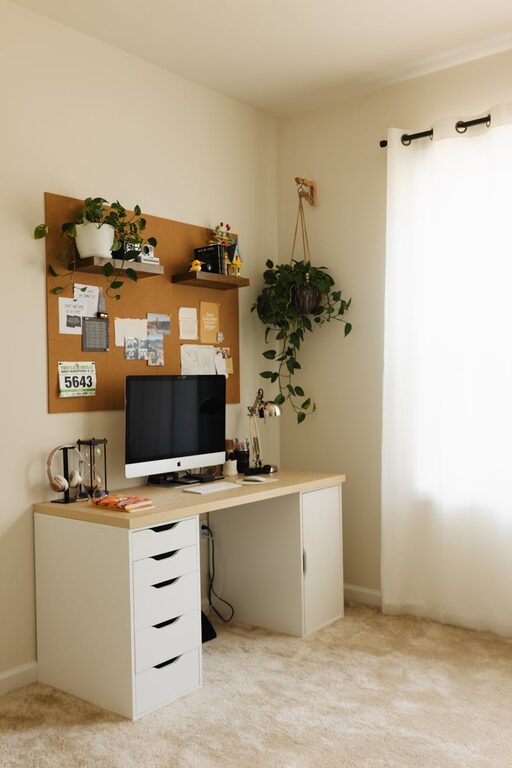
Tips for Creating a Cozy and Productive Home Office Space
Creating a home office that is both cozy and productive can greatly enhance your work-from-home experience. A well-designed workspace not only helps you stay focused but also makes your day more enjoyable. Whether you have a dedicated room or a small corner, these tips will help you craft a home office that supports your best work.
Choose the Right Location
Find a Quiet Spot
Start by selecting a location in your home that is free from distractions. This might be a spare room, a section of your living room, or even a nook by a window. The quieter the area, the easier it is to concentrate on tasks.
Consider Natural Light
Natural light has a positive impact on mood and energy levels. If possible, position your desk near a window to benefit from daylight. Avoid glare on your computer screen by adjusting blinds or curtains as needed.
Invest in Comfortable and Functional Furniture
Select a Supportive Chair
A comfortable chair with good back support is essential for long hours of work. Look for one that is adjustable to suit your height and desk setup to avoid strain.
Pick a Desk That Fits Your Needs
Choose a desk that fits your space and accommodates your equipment. It should have enough surface area for your computer, writing space, and any additional tools you regularly use.
Organize Your Space for Efficiency
Use Storage Solutions
Clutter can distract and decrease productivity. Use shelves, drawers, or storage boxes to keep documents and supplies organized and out of sight.
Keep Essentials Within Reach
Arrange your most-used items, like pens, notebooks, or chargers, within easy reach to reduce interruptions and keep your workflow smooth.
Personalize Your Workspace
Add Warm and Inviting Elements
Incorporate items that make your space feel cozy, such as a soft rug, cushions, or a blanket. Houseplants are also great for adding color and fresh air.
Choose Calming Colors
Paint your walls or add decorations in colors that promote relaxation and focus, such as soft blues, greens, or neutrals.
Optimize Lighting
Layer Your Lighting
Combine natural light with task lighting, like a desk lamp, and ambient lighting to reduce eye strain and create a comfortable atmosphere.
Use Adjustable Lighting
Having lights that can be dimmed or positioned helps customize your workspace to different times of the day or various tasks.
Minimize Noise and Distractions
Use Noise-Canceling Accessories
Consider noise-canceling headphones or white noise machines if your environment is noisy.
Set Boundaries with Others
If you share your living space, communicate your work hours to family or roommates to minimize interruptions.
Incorporate Technology Wisely
Ensure Reliable Internet and Equipment
A stable internet connection and up-to-date technology are key to staying productive. Regularly update software and invest in quality peripherals like keyboards and webcams.
Manage Cables Neatly
Use clips and cable organizers to prevent cords from tangling and cluttering your desk.
Schedule Breaks and Movement
Set Timers for Breaks
Regular breaks help maintain focus and reduce fatigue. Use timers to remind yourself to stand, stretch, or take a short walk.
Create a Relaxing Break Area
If space permits, have a small area nearby with a comfortable chair or cushions where you can relax briefly away from your desk.
Maintain Cleanliness
End Your Day with Tidy-Up
Spend a few minutes at the end of each workday cleaning your desk and organizing materials. A tidy workspace promotes a fresh start the next day.
Use Air Fresheners or Diffusers
Pleasant scents can enhance comfort and mood. Choose subtle air fresheners or essential oil diffusers to keep the air fresh.
—
By following these practical tips, you can build a home office space that balances comfort with productivity. Remember, the best workspace is one tailored to your personal preferences and work style, so don’t hesitate to experiment until you find what works best for you. Happy working!
